
Dance Master Pro provides dashboard and reporting software for dance studios to monitor performance in real time. Track revenue, attendance and key metrics with clear dashboards and detailed reports.
Real‑time overview of your dance studio
The dashboard offers real‑time insights into your dance studio’s most important metrics. Through interactive charts and customisable reports you can monitor active students, membership numbers, income and expenses, room occupancy, class schedules and attendance.
Data updates in real time, and you can filter by period, location, teacher or class. Export reports as PDF or Excel files, share charts with your team and set automatic alerts when a metric exceeds a defined threshold. This level of reporting helps you make informed decisions and improve efficiency.
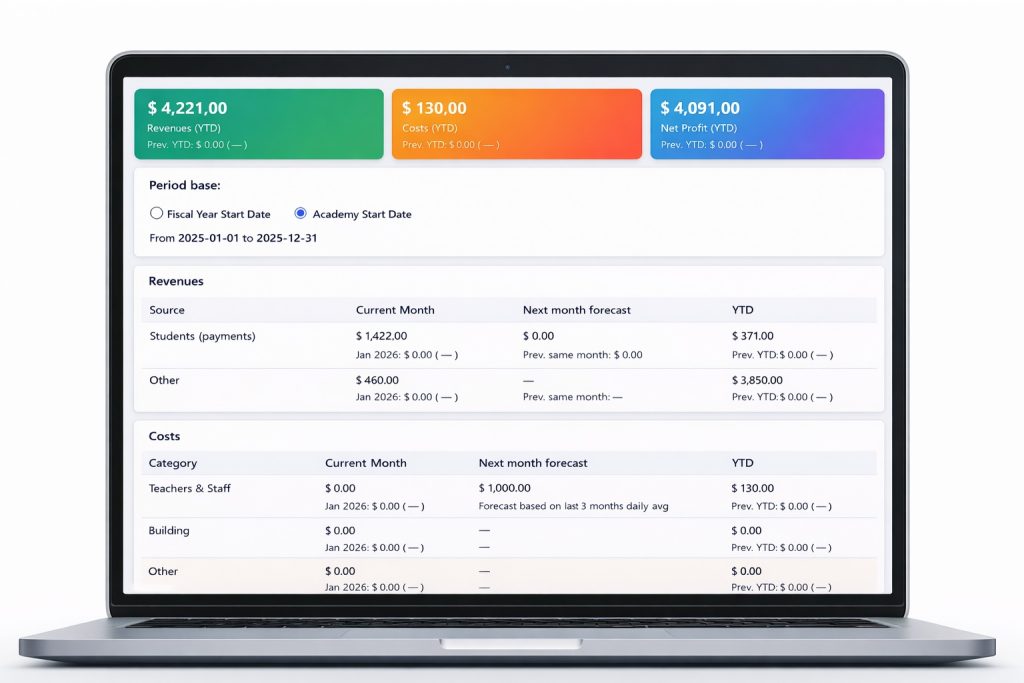

Income, expenses and profit overview
Quickly see how your academy’s productivity this year compares to last year, providing clear insights into growth and areas to improve.

Monitor revenues by period and source
Tracking this month’s income means monitoring all money from students and other sources. This helps forecast next month’s income. Comparing it with the yearly total shows financial health. Regular checks support smart money decisions and planning.

Analyze costs across teachers and facilities
Monitoring current month costs with forecasts for next month and year-to-date figures, including expenses for teachers and staff, building-related costs, and other categories.
Create custom reports
Build custom reports to analyse exactly the metrics you need. Compare monthly revenues by discipline (ballet, hip‑hop, contemporary), track ticket sales for specific events or evaluate attendance trends over time. Save these reports, schedule them for automatic delivery and share them with collaborators to keep everyone aligned.
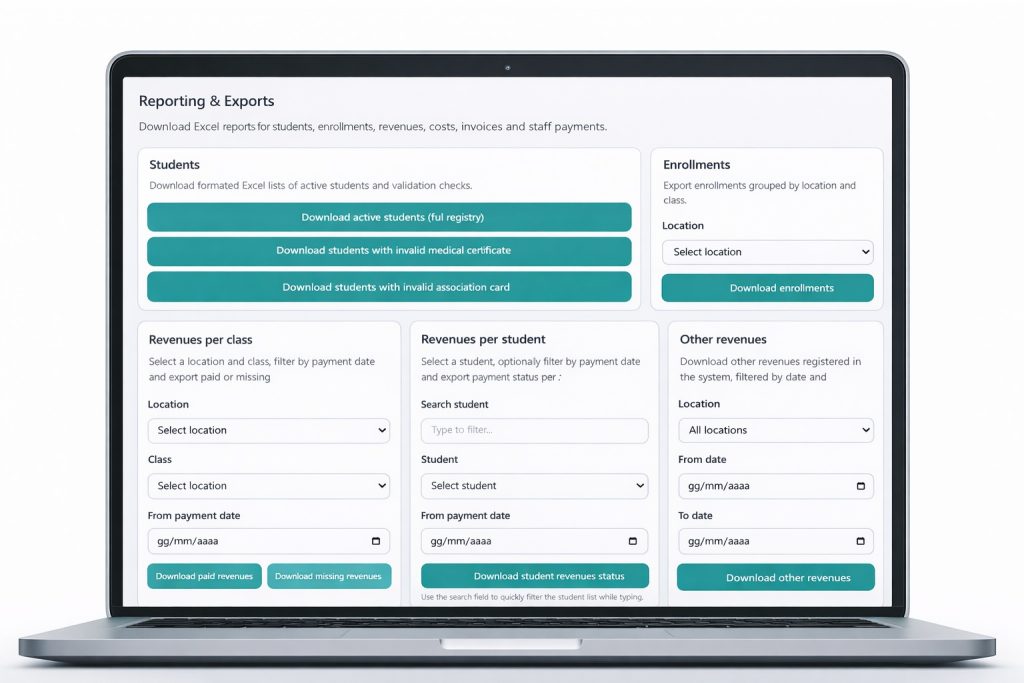
Enrollment and student registration reports
Download detailed, customized reports with complete student information and enrollment data for easy review and analysis
Revenue and invoicing reports
Create detailed reports that clearly show all revenue sources and every invoice issued during the chosen time. These reports should give a clear view of financial results and transaction records.
Expense reports for teachers and facilities
Get detailed cost reports from teachers, building staff, or other relevant people involved in the processes. These reports should give full information on expenses to help with accurate budgeting and financial planning.
Ready to see your studio’s data in real time? Try our dashboard now.