
Dance Master Pro includes an online shop for dance schools: sell uniforms, ballet shoes, leotards and merchandise to your families at the front desk, in the family portal or directly on your website. Orders, payments, stock and margins land in the same accounts as your class fees.
Your school shop, inside your management software
No separate e-commerce, no spreadsheets on the side: one catalogue, one list of orders, one set of accounts.
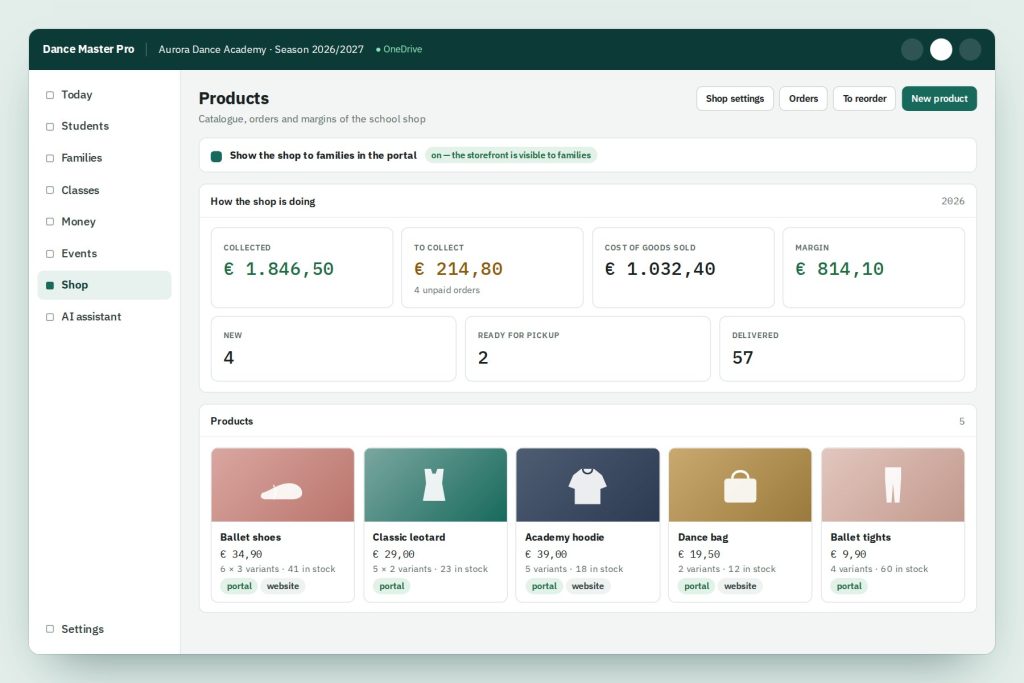

Catalogue with sizes and colours
Categories, products, photos and a size × colour grid. Every variant has its own price, stock and purchase cost.

Sell at the front desk
Open an order, pick the student and watch the total update as you type. You always see what is really available: stock minus what is already promised in open orders.

Shop in the family portal
Families order from their portal and pay online by card or at the desk when they collect. You choose which products they see.

Storefront on your website
Embed a public storefront on your school website with a short code. People can buy without an account, and the office links the order to the right student later.

From order to pickup
New, ready for pickup, delivered. Families get an email at each step in their own language, telling them clearly whether they have already paid or how much to bring.

Real margins, not guesses
Enter what each item costs you and see cost of goods sold and margin. The cost is booked on delivery, so an order nobody collects never distorts your accounts.
Online shop: frequently asked questions
Can I sell some items only to enrolled families?
Yes. Every product has two separate switches, “family portal” and “public storefront”. A competition uniform, for example, can be visible to your families only.
How do families pay?
Online by card, or at the desk when they collect the order. Either way the payment goes into the school accounts next to the class fees, and invoices and receipts show a readable description.
Do I count stock twice if I also record the supplier invoice?
No: switch off automatic cost-of-goods booking in the shop settings. Your margin stays visible on the shop dashboard.
Does it help me reorder?
Yes. Record the supplier of each product and the “to reorder” list arrives already grouped by supplier, ready for one phone call each.